pAInapple Code
A self-hosted web client for Claude Code, installable as a PWA. The server runs on your own machine and drives Claude Code through the official Agent SDK, using your own Claude subscription. OpenAI Codex CLI support is experimental. Inspired by code-server.
Thanks to the Auto Journal, you can easily pull up the full history of any topic or file you've already worked on. After each turn finishes, the session is forked in the background to a fast model (Haiku by default) that summarizes the turn — and the summary is stored in a local DuckDB and in the project's shadow git, as the commit message over everything that changed during the turn. It's not just for you: the optional shadow-git-helper agent gives Claude the same access, digging through past turns to brief the session with full historical context.
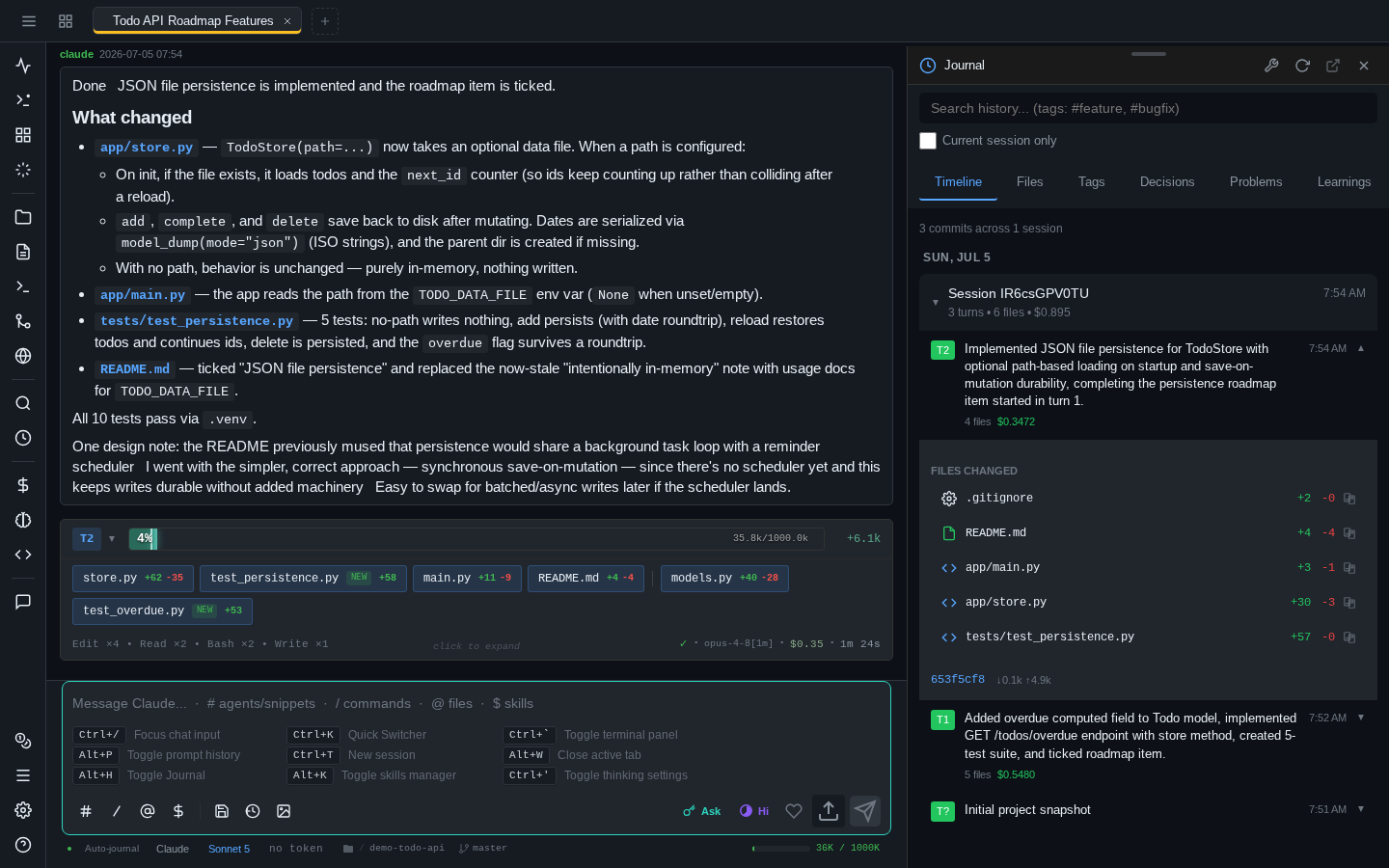
The server runs natively on Linux, macOS, and Windows 10/11 — no WSL required. Right now it's a PWA — installable on iOS, Android, and desktop — but desktop and mobile apps are in development. Roughly a third of this app was developed on an iPhone, and the rest on an iPad with a hardware keyboard.
Read the security notes first
Whoever can authenticate gets the same shell and filesystem access as the server process itself. The embedded terminal is a real PTY, and every approved tool call runs with the server's privileges — your OS user's on a bare host install, the sandbox's in container mode. This is an MVP, and all of its code was written by AI. Run it isolated (Docker, VM) and read Read this first before exposing it to anything.
These docs were written by AI — read them with caution
Like the rest of this project, the whole documentation site was written by AI (Claude) reading the source code, not by a human writing from experience. It was fact-checked against the code at the time of writing, but it has not been fully human-reviewed, and the code moves faster than the docs do.
Expect the occasional stale flag, renamed button, or feature described more confidently than it deserves. When something matters — security settings, CLI flags, data locations — trust the source and painapple --help over this site, and please open an issue when the two disagree.
What it is — and what it isn't
It is a thin wrapper around Claude Code. Every prompt streams through the official Agent SDK, and sessions you create here can be resumed in the regular CLI with claude --resume <id>.
It is not an AI agent of its own. It never modifies Claude's system prompt, tool policy, or behavior — no injected planning steps, no hidden instructions, no parallelized work. What it does add to a prompt is the context you attached: the output of !bang commands you ran, paths of files you uploaded, and snippets from the comments stash are prepended as plain text. The one other exception is the optional shadow-git-helper agent, which knows how to query the Shadow Git history.
Get started
- Install with pip / pipx — the recommended install:
pipx install painapple-code, on Linux, macOS, or Windows. - Run it in a container — the recommended way to run it: add
--in-dockerand each instance gets its own sandbox. Same install, no clone needed. - Dev Containers & Codespaces — add it to any devcontainer as a Feature.
- First run & login — the generated password, the login URL, and your first session.
Highlights
- Shadow Git auto-journal — pull up the full history of any topic or file you've worked on: every turn is summarized by a fast model into git + DuckDB. Not a backup — a searchable record of what was done and why.
- Multi-session tabs — several concurrent sessions, browser-style tabs, sessions survive page refresh and network drops.
- AI providers — Claude Code by default, experimental OpenAI Codex support when you want it, chosen per session — each with its own models, permission modes, and effort scale.
- Embedded terminal — a real PTY with xterm.js, persistent across refresh, with a mobile keyboard extension bar.
- Comments stash & discussions — annotate any paragraph of a response and attach it to your next prompt, or fork a side-thread about it.
- Cost analytics & prompt history — spend breakdowns per model/tool/session, and full-text search over every prompt you ever sent.
- Images & annotation — paste screenshots, draw arrows and markers on them before sending.
- Installable PWA — works as a standalone app on iPad, iPhone, Android, and desktop.
The full list lives in the features overview.